
LuckyHunter Mobile App
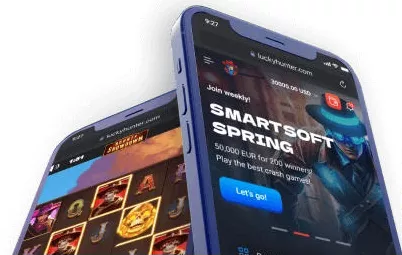


At LuckyHunter Casino, we've built a native mobile app that brings the full casino experience directly to your smartphone. Whether you prefer spinning the reels on your lunch break or joining a live dealer table from your couch, the LuckyHunter app is designed to make every session smooth, fast, and genuinely enjoyable. Available on both iOS and Android, our app is one of the most complete mobile offerings you'll find at any online casino today.
App Security and Licensing
We take the safety of our players seriously. The LuckyHunter app operates under the same Curacao Gaming Authority licence (No. OGL/2024/161/0191) that governs our full platform. All data transmitted through the app is protected using industry-standard SSL encryption, and your payment information is handled through the same secure gateways as on desktop.
KYC verification is built into the Lucky Hunter app so you can complete identity checks directly from your phone. We recommend completing verification early — unverified accounts may experience withdrawal holds. Our security protocols follow international anti-fraud standards to keep your account and funds protected at all times.
How to Download the Lucky Hunter App
Getting our app onto your device takes just a few minutes. We've made the process straightforward for both Android and iOS users, and you don't need any technical know-how to get started.
For Android Users
- Visit the official Lucky Hunter website from your Android browser
- Scroll down to find the 'Get App for Android' button or banner
- Tap the download link to retrieve the APK file
- Before installing, go to your phone's Settings and enable 'Install from Unknown Sources'
- Open the downloaded APK file and follow the on-screen prompts
- Once installed, launch the LuckyHunter app and log in or register
Since we distribute our Android app directly rather than through the Google Play Store, you'll need to allow installations from external sources. This is a standard step for casino apps and takes only a moment to enable.
For iOS Users
- Open Safari on your iPhone or iPad and go to luckyhunter.com
- Tap the 'Get App for iOS' button on the homepage
- You'll be redirected to the App Store listing
- Tap 'Get' and wait for the download to complete
- Open the Lucky Hunter app, sign in, and you're ready to play
iOS users benefit from a fully native app available directly through the App Store, making the installation process as seamless as any other download on your Apple device.
Logging In and Getting Started
Once installed, signing into LuckyHunter takes seconds. Use your registered email and password to access your existing account, or tap the LuckyHunter sign up button to create a new one. We've optimised our login screen for mobile screens so everything is clear, readable, and easy to tap — no zooming or squinting required.
If you're new to Lucky Hunter, registration inside the app follows the same process as on desktop. Enter your details, verify your email, and your account is ready. Our onboarding is designed to get you from download to your first spin in under five minutes.
What You Can Do Inside the LuckyHunter App
Our app isn't a trimmed-down version of the desktop site — it's the complete Lucky Hunter experience adapted beautifully for smaller screens. Here's what you'll have full access to:
- Slots, Megaways, Bonus Buy, Hold & Win, and Jackpot games from top providers including Pragmatic Play, Play'n GO, NetEnt, and BGaming
- A dedicated Live Casino section featuring Evolution-powered tables with Blackjack, Roulette, Baccarat, Poker, and Game Shows
- Sports betting coverage including Football, Ice Hockey, Tennis, Esports, and live in-play markets
- Full account management — deposits, withdrawals, verification, and history
- Access to all active promotions including Lucky Spin, Bingo Missions, and reload bonuses
- The LuckyHunter VIP Club with XO Coins loyalty rewards
Banking Inside the App
At LuckyHunter, we support a wide range of payment methods accessible directly through the app. Deposits are processed instantly and fee-free, with a minimum of €20. Withdrawals are handled within 0–24 hours for e-wallets, and within 3 banking days for bank transfers.
- Cards: Visa, Mastercard, Maestro
- E-wallets: Skrill, Neteller, MuchBetter, ecoPayz, MiFinity, Jeton
- Prepaid: Paysafecard, Neosurf, Flexepin, CashtoCode
- Crypto: BTC, ETH, LTC, USDT, BNB, ADA, TRX, DOGE, BCH
Weekly withdrawal limits sit at €3,000 for standard accounts and €5,000 for VIP members, with monthly caps of €15,000 and €20,000 respectively. Progressive jackpot wins are always paid in full regardless of standard limits.
Free Spins Bonus via the App
We reward players who install the LuckyHunter app with a dedicated Install-the-App promotion. Beyond that, LuckyHunter offers one of the most generous welcome packages we've seen — spread across your first four deposits using promo codes HUNTER1 through HUNTER4. Here's how the welcome package breaks down:
| Deposit | Promo Code | Bonus | Free Spins |
|---|---|---|---|
| 1st | HUNTER1 | 100% up to €4,000 | 150 FS |
| 2nd | HUNTER2 | 100% up to €5,000 | 50 FS |
| 3rd | HUNTER3 | 50% up to €6,000 | 50 FS |
| 4th | HUNTER4 | 25% up to €10,000 | 100 FS |
Free spins are awarded on popular titles including Gates of Olympus, Big Bass Splash, and Bonanza Billion. Wagering requirements apply at 50x within 30 days, and the minimum deposit to qualify is €20. For full bonus terms and eligibility by region, we recommend checking our dedicated LuckyHunter bonus page.
Pros and Cons of the Lucky Hunter App
| Pros | Cons |
|---|---|
| Native apps for both iOS and Android | Android requires manual APK installation |
| Full game library available on mobile | Some bonuses excluded by region |
| Live casino and sports betting included | 50x wagering on welcome bonus |
| Crypto payments supported | Weekly withdrawal cap of €3,000 (standard) |
| Install-the-App exclusive promo | Long restricted countries list |
| 24/7 live chat support in-app | KYC must be completed within 40 days |

Final Thoughts
We've invested real effort in making the LuckyHunter app one of the most complete mobile casino experiences available. From the moment you download it to your first live dealer hand or jackpot spin, everything is built to work smoothly on the go. Lucky Hunter brings together a rich game library, competitive banking options, a rewarding loyalty programme, and a generous welcome package — all inside an app that fits in your pocket.
Whether you're an experienced player or just getting started, we're confident you'll feel right at home inside our app. Download it today and see what Lucky Hunter has to offer.
FAQ
Is the Lucky Hunter app free to download?
Yes, our app is completely free to download on both iOS and Android. Simply visit luckyhunter.com or the App Store and follow the installation steps outlined above.
Do I need a separate account to use the LuckyHunter app?
No, we use the same account across all platforms. Your existing Lucky Hunter login works on desktop, mobile browser, and our native app without any additional registration.
Can I claim bonuses through the LuckyHunter app?
Absolutely. All active promotions — including our welcome package and the exclusive Install-the-App offer — are fully accessible inside the Lucky Hunter app. Simply navigate to the promotions section after logging in.
Is the Lucky Hunter app safe to use?
We operate under a valid Curacao Gaming Authority licence and apply SSL encryption to all app transactions. Your personal and financial data is protected by the same security infrastructure as our desktop platform.
What should I do if the Lucky Hunter app isn't working?
We recommend first checking your internet connection, then ensuring your app is up to date. If issues persist, our 24/7 live chat support team is available directly through the app and via [email protected] — we're always happy to help.
Last updated: September 8, 2026